
How to Master a Song at Home: The 12 Mistakes That Ruin Beginner Masters
You bounced the master. It is louder than the mix. And it sounds worse.
Smaller, somehow. Harsher in the chorus. The kick that hit you in the chest at mix stage now taps you on the shoulder. You turn it up and it gets worse again.
If you master your own music at home, you have been here. Almost everyone who learns to master a song in a bedroom studio makes the same twelve mistakes in roughly the same order. I made all of them. Here they are, with the fix for each and the one number that matters.
First, what mastering can and cannot do
Mixing is balancing the parts of a song against each other. Mastering is preparing the finished stereo file for release: level, tone, consistency, and a format that survives Spotify's encoder.
That is the whole job. Mastering does not fix a buried vocal. It does not separate a kick from a bass. It does not make a thin mix thick. It makes a good mix ready.
So most "mastering problems" are mix problems wearing a different hat. Which brings us to mistake one.
The 12 mistakes
1. Mastering a mix that is not finished
I once got a mix for mastering with a limiter already on the master bus, pushed 6 dB into the red. The producer wanted it "louder and more professional". There was nowhere left to go. Every move I made just revealed the limiter underneath. We went back to the mix, took the limiter off, and the master took twenty minutes.
Five mix problems mastering cannot fix:
- Kick and bass fighting for the same space
- A vocal that sits too low, or jumps around between sections
- Harsh esses that need de-essing on the vocal track, not the whole mix
- Clicks, pops and reverb tails cut short at the end
- A limiter, clipper or "maximizer" left on the mix bus
If you hear any of these, stop. Fix the mix. Then come back. Our guide to preparing a mix for mastering walks through the full pre-master check.
Do instead: listen to the mix once on headphones with your eyes closed before you touch a mastering plugin. If something bothers you, it is a mix note.
2. No headroom going in
Competing advice on this one is a mess. Some say -3 dB. Some say -6. Some quote LUFS numbers a beginner cannot measure. Here is the number: peaks around -6 dBFS.
Why that one? Because you can check it in any DAW by looking at the master meter, and because it leaves room for the EQ and compression you are about to add without anything clipping on the way to the limiter. In a 32-bit float project the maths is forgiving, but your plugins are not always, and your habits definitely are not.
The real sin is not the number anyway. It is a limiter or clipper left on the mix bus. Headroom with a limiter on top is not headroom. It is a crushed mix with the meter lying to you.
Do instead: bounce the mix with peaks near -6 dBFS and nothing on the master bus. Then master.
3. Chasing loudness with the limiter
This is the universal mistake. Every mastering guide warns about it and every beginner does it anyway, because louder sounds better and the limiter is right there.
I am not going to give you a gain-reduction number. Guides say "2 to 3 dB max" or "up to 8 dB is fine" and both are wrong for half the genres out there. A folk record and a drum and bass record do not share a limiter setting.
Instead, learn the two tells.
Pumping. On sustained sections, the whole track breathes in and out with the kick. The pad ducks. The vocal swells back after every hit.
Dead transients. The snare stops cracking and starts thudding. The kick loses its click. Everything arrives at the same volume and nothing hits.
If you hear either, you are past the limit, whatever the meter says.
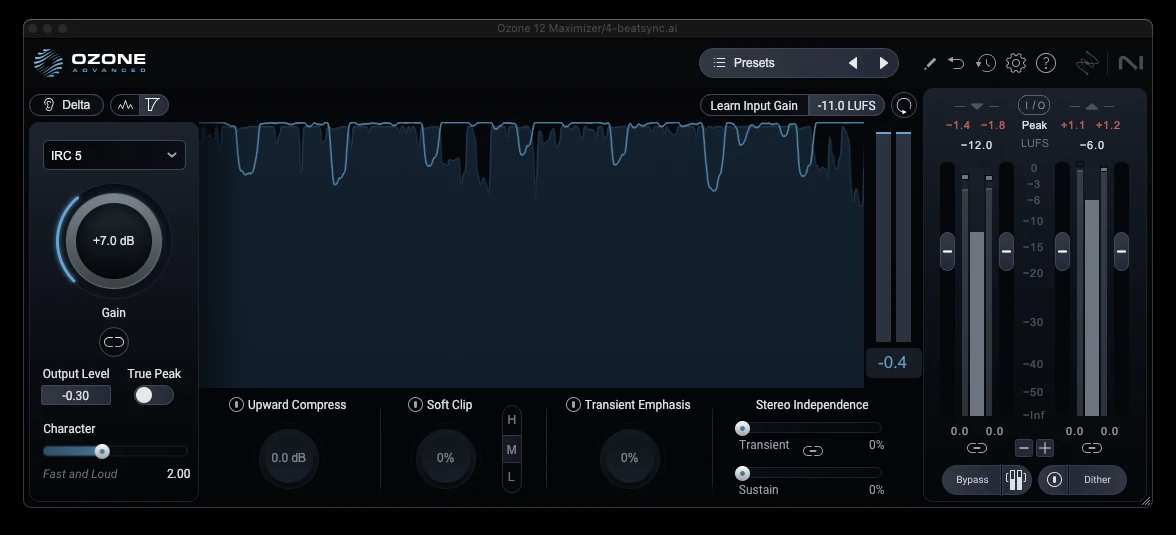
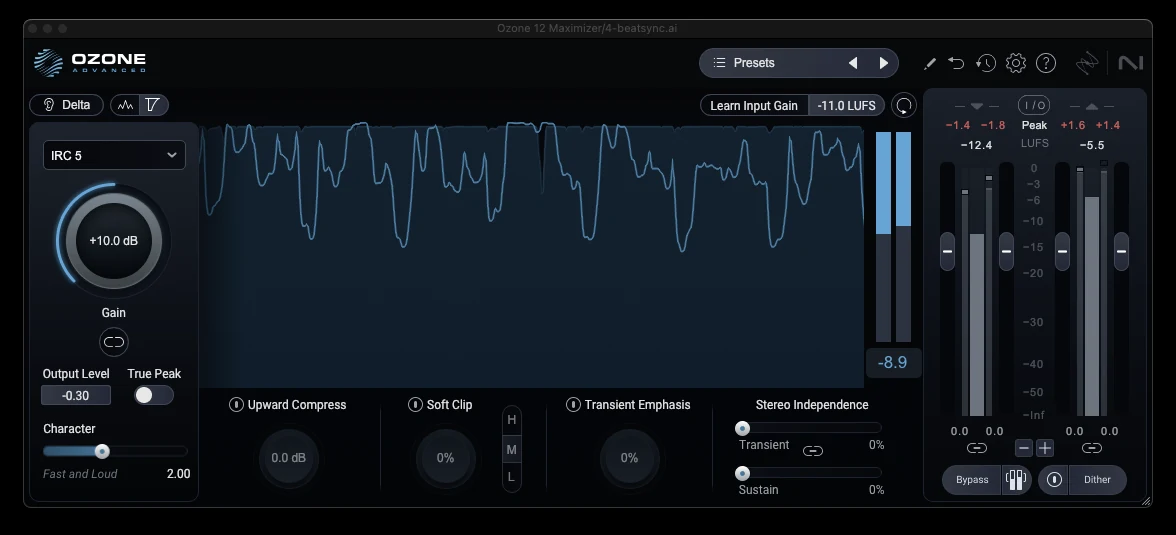
A story. A client sent me a reference, their own earlier release, mastered by someone who pushed it until it was a brick. It was louder than everything on their playlist, for about four seconds. Then Spotify's normalization turned it down to the same level as everything else, and what was left was a flat, pumping, tiring version of a good song. The quieter master would have won.
Do instead: push the limiter until you hear the first tell, then back off 1 dB. That is your loudness. If it is not loud enough, the mix needs more density, not the limiter.
4. A ceiling at 0 dBFS and no idea what true peak is
Your DAW meter shows sample peaks. The waveform between those samples can go higher. When Spotify, Apple or YouTube encode your WAV to AAC or Opus, the encoder reconstructs that in-between waveform, and if it goes over 0, you get crackle on every loud hit. That is called an inter-sample peak, or true peak.
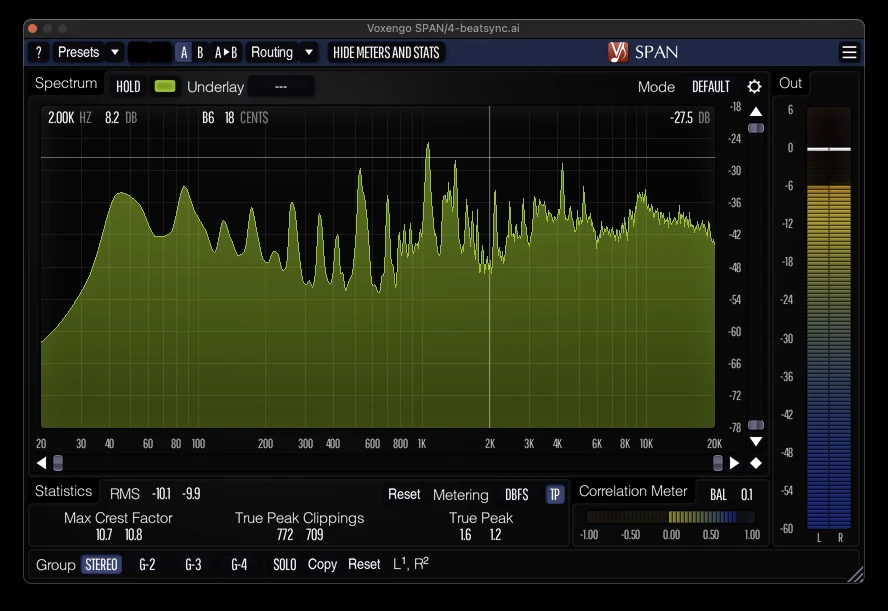
Here is what I actually do, and it is not what most guides say. Ceiling at about -0.3 dB, down to -0.1 on loud genres. True-peak detection on the limiter off. Small overshoots accepted, because every commercial release has them and nobody can hear a tenth of a dB.
The mistake is not "failing to hit -1 dBTP". The mistake is a ceiling at 0 dBFS and no clue what the encoder will do to it. If you are nervous, or your distributor is strict, -1 dBTP is the safe choice and costs you almost nothing.
Do instead: ceiling at -0.3. Put a true-peak meter after the limiter once, look at the overshoot, and decide for yourself.
5. Mastering for no destination
Where is this song going? Spotify? A club? A YouTube video? Each one plays it back differently, and most of them turn it down if you went too loud.
Here is what the big platforms normalize to. These are playback levels, not targets.
| Platform | Reference level | What happens if you are louder |
|---|---|---|
| Spotify | about -14 LUFS integrated, -1 dBTP recommended | turned down |
| Apple Music (Sound Check) | about -16 LUFS | turned down |
| YouTube | about -14 LUFS | turned down |
| Tidal, Amazon Music | about -14 LUFS | turned down |
| TikTok, Instagram Reels | not published; expect normalization | turned down, often more than you think |
| SoundCloud | no normalization at time of writing | loud stays loud |
Read that table and you might think "so I should master to -14". No. Every chart record in your genre is louder than -14, often by 5 to 7 dB, and after normalization they still sound better than a quiet master turned up, because they were built dense. Loudness is a tonal and dynamic property, not a number.
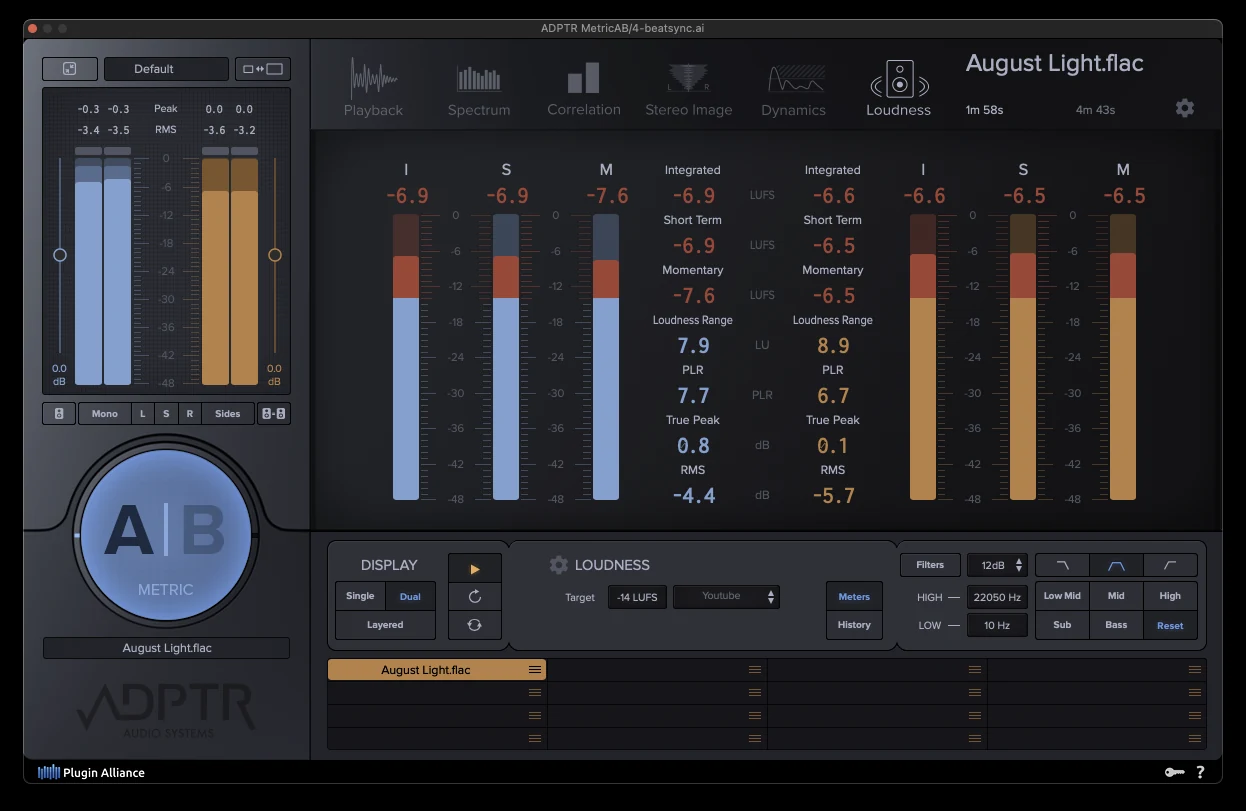
So what is the right loudness for your master? Benchmark it. Drop your track into our free loudness benchmark tool and it scores you against real commercial masters in your genre, chorus to chorus, instead of against a platform's playback number. We wrote more on why the -14 LUFS rule is a myth in How Loud Should Your Master Be?.
Do instead: decide the destination, benchmark against real releases there, master to taste.
6. Never checking in mono
Phone speakers are mono. Bluetooth speakers are mostly mono. Club systems sum the lows to mono. If your master falls apart when you press the mono button, it falls apart for most listeners.
Two things cause it. A stereo widener pushed too far, which makes parts cancel when summed. And a bass that lives in the sides, which disappears in mono and turns your low end into mush on a big system.
Checking is a click. In FL Studio, the mono switch is on the master in the mixer. In Logic, add a Gain plugin and tick Mono. In Ableton, the Utility device has a Width knob; turn it to 0. Listen. If the vocal drops, the kick thins out or the pad vanishes, you have found a problem.
Do instead: keep everything under about 120 Hz mono, widen the mids if you must, never the lows, and check in mono before every bounce.
7. Only listening on one system
Your monitors lie to you in a room you have not treated. Headphones lie differently. The car lies in a third way. The truth is in the overlap.
Bounce the master. Play it on your phone speaker. Play it in the car. Play it on cheap earbuds. Play it on the laptop. You are not listening for quality. You are listening for anything that changes. The bass that vanished on the phone. The vocal that got shouty in the car. Those are notes.
Do instead: four systems minimum before you call a master finished, and one of them has to be the phone.
8. Comparing without level-matching
Louder always sounds better. Always. One extra dB and the brain reports more punch, more clarity, more width, more everything. So when you bypass your mastering chain and the mix sounds smaller, you have learned nothing except that the chain made it louder.
I spent an afternoon convinced a new compressor was magic. Turned it off, the track collapsed. Turned it on, glorious. Then I matched the output level and could not tell the two apart in a blind test. The compressor was doing nothing. The 2 dB of make-up gain was doing everything.
Level-matching takes no plugins. Put a gain or utility plugin at the end of the chain. Turn it down until the loudness meter reads the same with the chain on and off. Now compare. Same for reference tracks: pull the reference down to the level of your master before you judge. If you do not want to use a reference at all, that is fine, and we argued the case in Why You Don't Need a Reference Track. But if you do compare, match first.
Do instead: never A/B anything at different levels. Match, then listen.
9. Copying a mastering chain from a video
You watched a YouTube master. EQ, then multiband, then an exciter, then a widener, then two limiters, in that order, with those settings. You built the same chain. It sounded wrong. It will always sound wrong, because the chain was a set of answers to questions about a different song.
A chain is a diagnosis, not a recipe. Mine starts with a question, not a plugin: what is wrong with this mix? Then corrective EQ to fix that, and only that. Then dynamics if the track needs glue. Then loudness. Some masters are an EQ and a limiter. Some need five tools. The song decides.
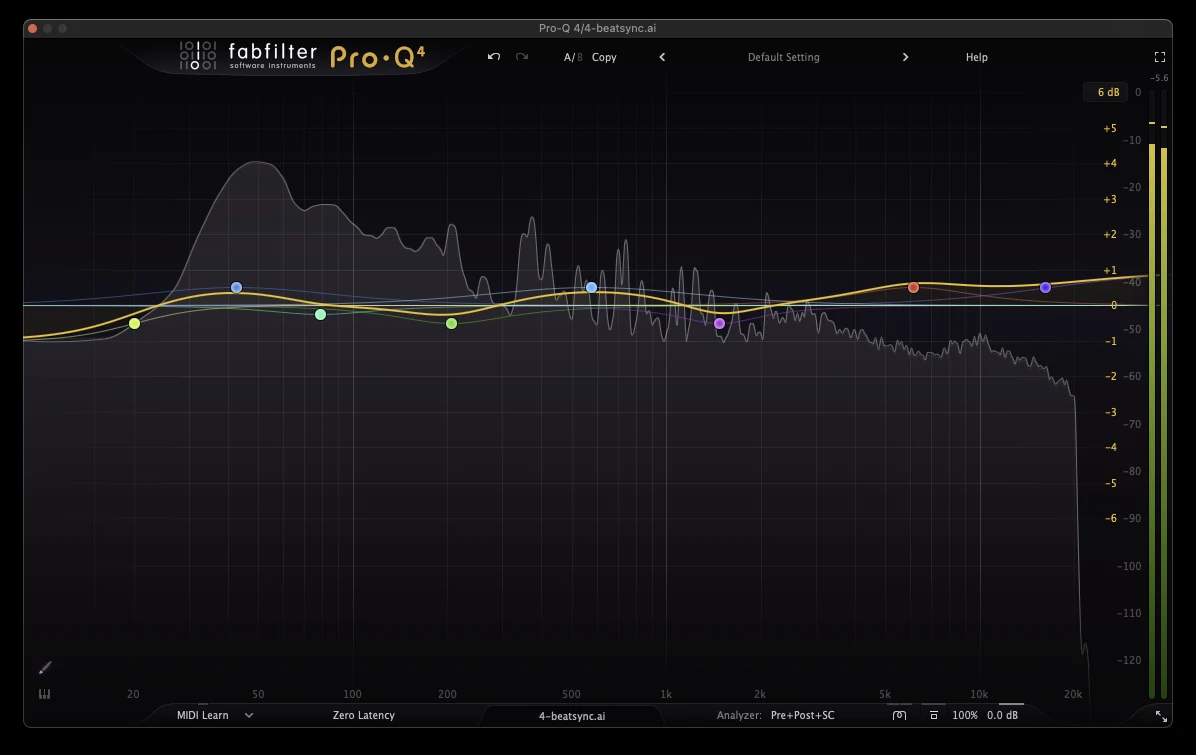
The YouTube chain story: a producer brought me a dark, lo-fi hip hop beat he had mastered with a chain built for bright pop. The exciter had turned the vinyl crackle into a hiss. The widener had thrown the sampled piano out of phase. He had followed every step correctly. The steps were for someone else's record.
Do instead: diagnose first. Add a plugin only when you can say what it is for.
10. Big moves instead of small ones
Mastering EQ moves live in the 0.5 to 2 dB range. Mastering compression is one or two dB of gain reduction with a slow release. If you find yourself boosting 5 dB at 100 Hz, that is a mix note (see mistake 1). If the compressor is pulling 6 dB, that is mistake 3 in disguise.
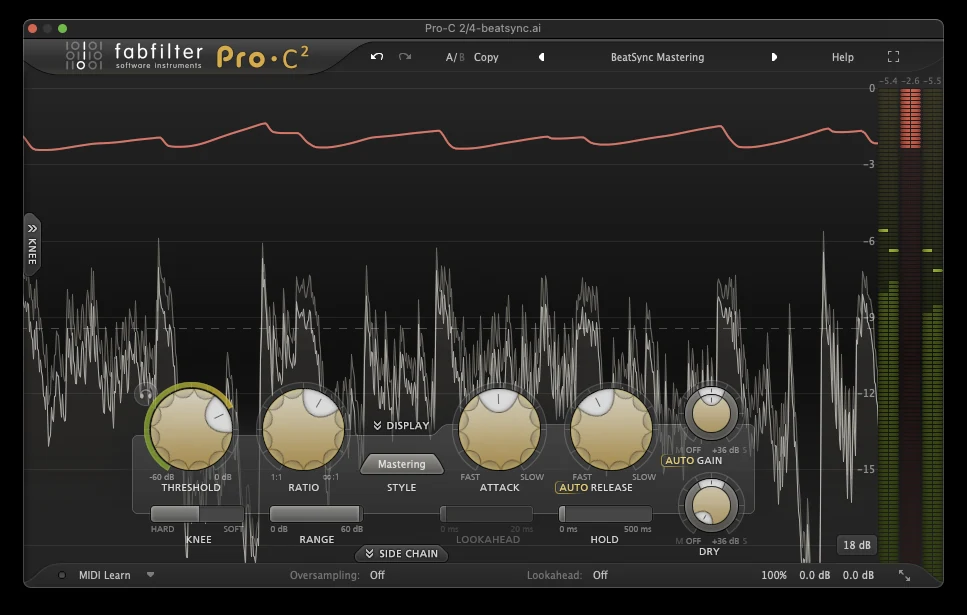
Small moves add up. Seven half-dB EQ bands reshape a track more than you expect. One tool per problem, the smallest move that fixes it, then stop.
Do instead: if a move is bigger than 2 dB, ask whether it belongs in the mix.
11. Exporting wrong
You did the work. Then you bounced a 16-bit MP3 with the sample rate changed and no dither, and the distributor's encoder took it from there.
| Destination | Format | Bit depth | Sample rate | Dither | Ceiling |
|---|---|---|---|---|---|
| Streaming distributor (Spotify, Apple, etc.) | WAV | 24-bit | same as your session, 44.1 or 48 kHz | no | -0.3 to -1 dB |
| CD | WAV | 16-bit | 44.1 kHz | yes | -0.3 dB |
| Video (YouTube, TikTok, Reels) | WAV | 24-bit | 48 kHz | no | -1 dB |
| Client preview | MP3 320 kbps or AAC 256 kbps | from the 24-bit master |
Dither is noise added on purpose when you reduce bit depth, so the quietest parts fade smoothly instead of turning grainy. You need it going from 24-bit to 16-bit. You do not need it if you stay at 24-bit. And never, ever master an MP3. A lossy file has already lost what mastering needs; mastering it and encoding again stacks the damage.
Do instead: 24-bit WAV at your session's sample rate for distribution. Dither only when you go to 16-bit.
12. Not listening to the bounce
The last mistake is the cheapest to fix and the one that gets into the world most often. Nobody listens to the exported file, start to finish, before uploading it.
Clicks at edit points. A reverb tail cut off at the end because the bounce stopped at the last MIDI note. The wrong version. A plugin that did not load. Half a second of silence at the start that is a full second after the distributor's encoder.
Do instead: play the bounce, all of it, on headphones, before it goes anywhere. Every time.
"My master sounds..." quick diagnosis
| Symptom | Likely mistake | Fix |
|---|---|---|
| Quieter than everything after upload | 3 or 5 | you crushed it and got turned down; back off and build density in the mix |
| Distorted or crackly on loud hits | 4 | ceiling too high, true peaks over 0; lower the ceiling, check with a true-peak meter |
| Small and thin | 3, 9 | over-limited or a chain built for another record; diagnose again from the mix |
| Muddy | 1, 10 | the mix, or a big low-mid boost in the master; fix in the mix, small cut around 200 to 400 Hz |
| Harsh | 1, 9 | sibilance or an exciter doing damage; de-ess the vocal track, drop the exciter |
| Lifeless and flat | 3, 10 | pumping compressor or dead transients; less gain reduction, slower release |
| Different on the phone | 6, 7 | mono problems or untested translation; mono check, four systems |
Two questions people ask here. What volume should I master at? Monitor around a comfortable conversation level, the same every session, so your ears calibrate. Is it better to mix quiet or loud? Mix with headroom (mistake 2) and let mastering set the level.
When to skip the chain
Mistakes 2 through 12 are process mistakes. A good mastering service makes those decisions for you: the loudness for the destination, a safe ceiling, tonal balance against real releases, a correct lossless export. What no service can do is fix mistake 1. The mix still has to be finished.
If you would rather spend the evening on the next song than on a limiter, upload the mix to BeatSync Mastering and listen to the before and after at matched volume on the page. AAC masters are free during launch. The lossless 24-bit/48 kHz WAV is 200 credits, and the measured loudness is shown on every master so you know exactly where it landed.
The 60-second checklist
- Mix finished, nothing on the master bus
- Peaks around -6 dBFS going in
- Limiter pushed until the first tell, then back 1 dB
- Ceiling at -0.3 dB, true peak checked once
- Destination decided, loudness benchmarked against real releases
- Mono check passed
- Four playback systems, including the phone
- Every A/B level-matched
- Chain built from a diagnosis, not a video
- No single move over 2 dB
- 24-bit WAV at session rate, dither only to 16-bit
- The bounce played start to finish
Download the one-page PDF version: Home Mastering Checklist (PDF). The shorter do's and don'ts version is here too.
FAQ
What are the steps to mastering a song?
Listen and diagnose the mix. Corrective EQ. Light compression if the track needs glue. Limiting to the destination's loudness, checked by ear for pumping and lost transients. True peak and mono check. Export as 24-bit WAV. Listen to the bounce.
How many LUFS should my master be?
There is no single number. Platforms normalize to about -14 LUFS, but commercial releases in most genres sit well above that and still sound better after normalization because they are dense, not just loud. Benchmark against real releases in your genre instead of a platform figure.
Is it better to mix quiet or loud?
Mix with headroom, peaks near -6 dBFS and nothing on the master bus. Loudness is mastering's job.
What volume should I master at?
A comfortable, consistent monitoring level, the same every session. Loud monitoring hides harshness and flatters bass; quiet monitoring does the opposite.
Is mastering really necessary?
If the song is going anywhere public, yes. Not because of loudness, but because an unmastered mix at the wrong level and ceiling will be normalized, encoded and played back on systems you never checked.
Is there any free mastering software?
Most DAWs ship a usable limiter, EQ and loudness meter, which is enough to avoid every mistake on this list. Free loudness meters such as Youlean's cover the measuring. BeatSync's AAC master is free during launch if you want a finished result without the chain.
Can AI mix and master a song?
AI mastering can handle the process side well: loudness, ceiling, tonal balance, export. It cannot fix a mix that is not finished, and no AI tool will tell you your vocal is buried. Finish the mix, then let the tool or the engineer master it. If your music is AI-generated, read our guide to mastering Suno songs, because those files have their own habits.
Does this change in FL Studio, Logic, Ableton or GarageBand?
No. The tools have different names and the mono button lives in a different place, but every mistake on this list is DAW-independent.


