
How to Master Suno Songs: Make AI Tracks Louder and Release-Ready
The song sounds great in the Suno player. You download it, drop it into a playlist next to a real release, and it shrinks. Quieter. Narrower. A little glassy up top.
So you look for answers and find two questions nobody answers properly. Do I need to master my Suno songs at all? And what does that Remaster button actually do?
Here are the plain answers, with numbers we measured ourselves on real Suno downloads, and a path from raw export to a track that holds its own on Spotify.
What does Remaster do in Suno? (It is not mastering)
Suno's Remaster makes a new version of your song. In Suno's own words it "creates subtle variations of a clip", and it now has three strengths: Subtle stays very close to the original, Normal is the default, and High may change musical elements and vocals. It is generation, not processing. The model takes another pass at the song.
Mastering is the opposite. It processes the file you already downloaded. Same performance, same notes, same vocal take. What changes is level, tone, width and format.
| Suno Remaster | Audio mastering | |
|---|---|---|
| What it works on | the generation inside Suno | the WAV you downloaded |
| Does the performance change | yes, a little to a lot | never |
| Can you control what changes | strength only | every move |
| Fixes "too quiet" | no | yes |
| Fixes a harsh vocal | sometimes, by accident | yes, on purpose |
| Fixes a bad section | sometimes | no, regenerate instead |
We have tested Remaster a lot. The changes are mostly subtle, and the new strength options are useful. But it rarely corrects a specific problem. Sometimes it improves things, and then you keep rolling the dice, because you never know what is happening behind the scenes. If the generation itself is the problem, Cover or a new generation is the stronger lever, with one warning: the result will sound different. It is trial and error.
Mastering is the only step where you decide what changes. That is the step this guide is about. If you want the button itself explained in full, including what each strength setting does and when Cover or Replace Section is the better choice, read What Does Remaster Do in Suno?.
Do Suno songs need mastering? Check your file in two minutes
Competing guides contradict each other here. One says Suno exports are too quiet, around -16 LUFS. One says they already sound squashed. One claims a quarter of them clip. So we measured. Fifteen untouched Suno WAV downloads, Pro and Premier accounts, a mix of v5 and v6 generations, across EDM, Latin, Turkish pop and pop.
| What we measured | Median | Range across 15 tracks |
|---|---|---|
| File format | WAV, 48 kHz, 16-bit, stereo | all 15 identical |
| Integrated loudness | -14.2 LUFS | -14.8 to -13.5 |
| True peak | -3.9 dBTP | -4.3 to -3.1 |
| Loudness range | 5.3 LU | 2.8 to 6.9 |
| Tracks clipping | 0 | 0 of 15 |
| Stereo correlation | 0.73 | 0.69 to 0.92 |
Three things jump out.
Every file lands within 1.3 LU of -14 LUFS. Fifteen songs, different genres, two model generations, and they all sit at the same loudness. That is not a coincidence. Suno normalizes exports to about -14 LUFS, the same level Spotify plays everything back at.
Nothing is clipping. Peaks sit 3 to 4 dB under full scale on every file. The exports are clean and they arrive with headroom, which is the best possible starting point for a master.
The stereo image is narrow. Side energy sits 7 to 14 dB under the centre on every track. Not phasey, not wide. Just narrow.
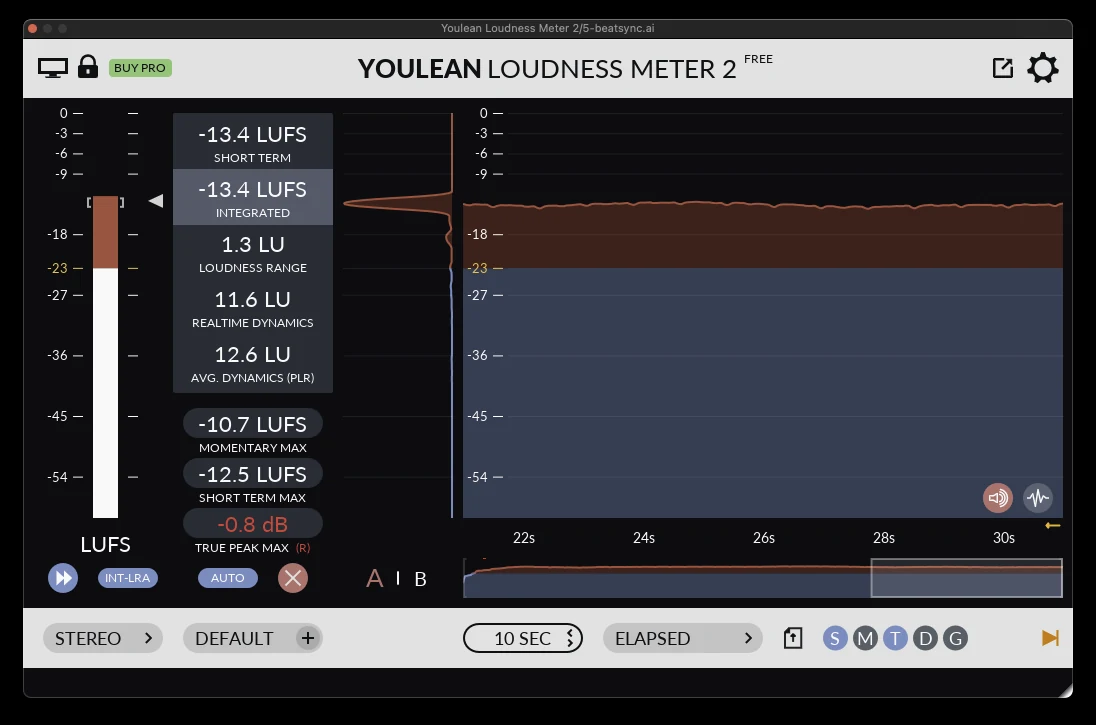
So does your Suno song need mastering? Yes, and for a simple reason. Your track is quieter than commercial releases because Suno normalized it, not because the generation is weak. Chart records in most genres sit 4 to 7 dB louder than -14 and still sound better after Spotify turns them down, because they are dense. A raw Suno WAV is not.
Check your own file. Drag it into a free loudness meter, or into our loudness benchmark tool, which scores it against commercial masters in your genre. You will see roughly -14 LUFS and roughly -4 dBTP. That tells you the file is healthy and that it needs the same three things every Suno WAV needs: loudness to taste for the genre, tonal correction, and width. Never repair.
Which file to download: MP3 or WAV
Free accounts download MP3 only. Pro and Premier download WAV. Mobile downloads default to MP3 even on paid plans, so download from the desktop.
An MP3 can sound close to the WAV. Master the WAV anyway, because mastering is where you push a file hardest, and you want the best source under it. MP3 encoding throws away content the encoder judges inaudible, smears sharp transients, adds a faint pre-echo before hard hits and blurs the top end. Every further encode stacks the damage, and your distributor is going to encode it again.
If the WAV is impossible, a more transparent codec at a high bitrate, such as AAC at 256 kbps or above, is the lesser evil. Export the master as lossless WAV so the only lossy step is the one that already happened.
If you can get the WAV, get the WAV.
Why Suno songs sound quiet, harsh or narrow
Here is what we hear most on raw Suno exports, most common first, in plain words, with what we do about it.
| You hear | What it is | What we do |
|---|---|---|
| Harsh, metallic, glassy highs, the "AI sheen" | brittle energy above 2 kHz, especially on vocals and cymbals | compress the highs a little, dynamic EQ on the offending area, or a surgical resonance tool |
| Small and quiet next to real releases | normalized to -14 LUFS, low density | saturation, light bus compression, a clipper, then a limiter pushed by ear (see the walkthrough below) |
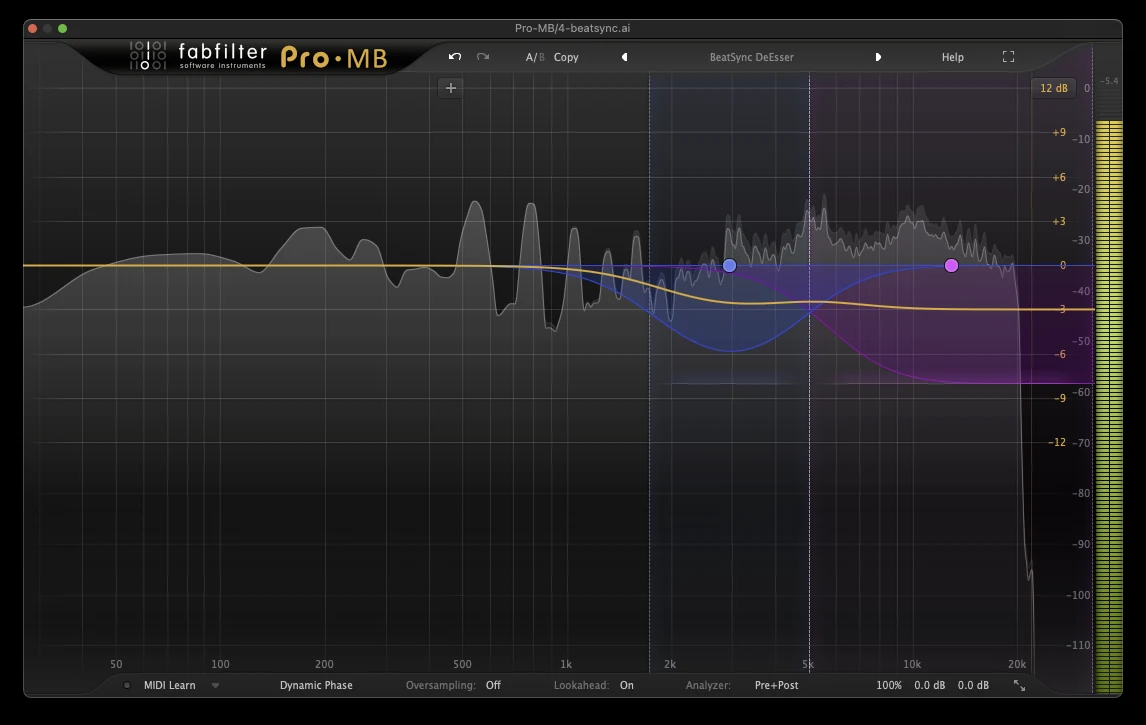
| Spitty, hissy esses | sibilance sitting in the 5 to 9 kHz region | multiband de-essing that listens to the ess region and compresses it, plus a touch on the air above |
| Vocal sits behind the music | masked in the low mids, missing presence | small boost in the vocal clarity region, small cut in the low mids; mid and side separately if needed; badly buried means stems or regenerate |
| Narrow, everything in the middle | side energy 7 to 14 dB under mid, measured on every file | widen the mids, keep the lows mono |
| Bass jumps between sections, or booms, or vanishes | v6 in particular runs the bass loud in some sections | compress the low end more than usual and bring it back up; slow attack on the full mix |
| Dull, flat top on some v6 generations | missing air and detail above 8 kHz | stacked saturation, a high-passed top loop layered in, more high-frequency information from added layers |
| Boxy or muddy low mids | 200 to 500 Hz build-up, rarer than guides claim | dynamic EQ on the muddy area, or a tone-matching EQ with a de-mud function |
| Crackly, flat-topped, squashed | a clipped or already-limited file; not a WAV download, or processed since | usually cannot be saved; regenerate |
The DIY route: mastering a Suno track in your DAW
You do not need a mastering engineer or a special plugin to do this. You need an EQ, a compressor, a limiter and a loudness meter, and most DAWs ship all four. Here is the order, with the moves that work on AI audio.
1. Import at 48 kHz and listen once
Set your session to 48 kHz to match the file. Listen the whole way through before you touch anything, and write down what bothers you. On a Suno track that list is usually short: sheen, esses, narrow, quiet.
2. Corrective EQ, small moves
Fix what is on the list and nothing else. The generation is already balanced; you are nudging, not rebuilding. A gentle dip where the sheen lives, a small lift in vocal presence if the vocal hides, a small cut in the low mids if it sounds boxy. Every move under 2 dB.
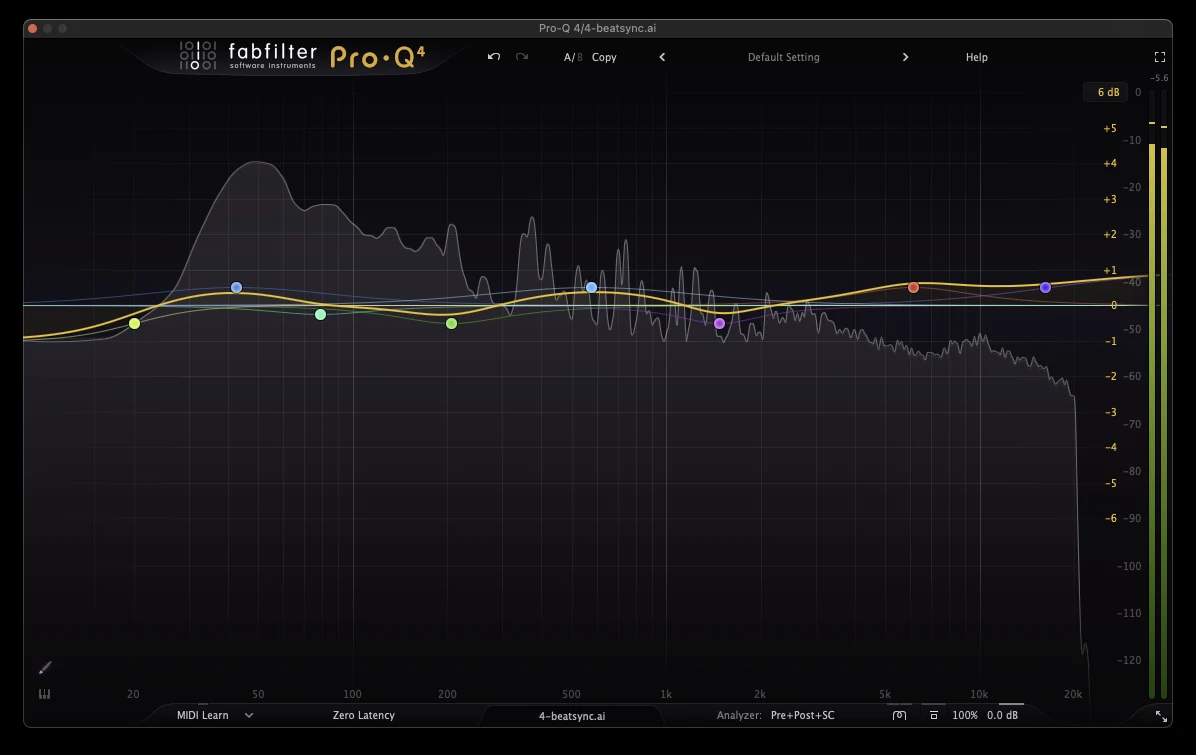
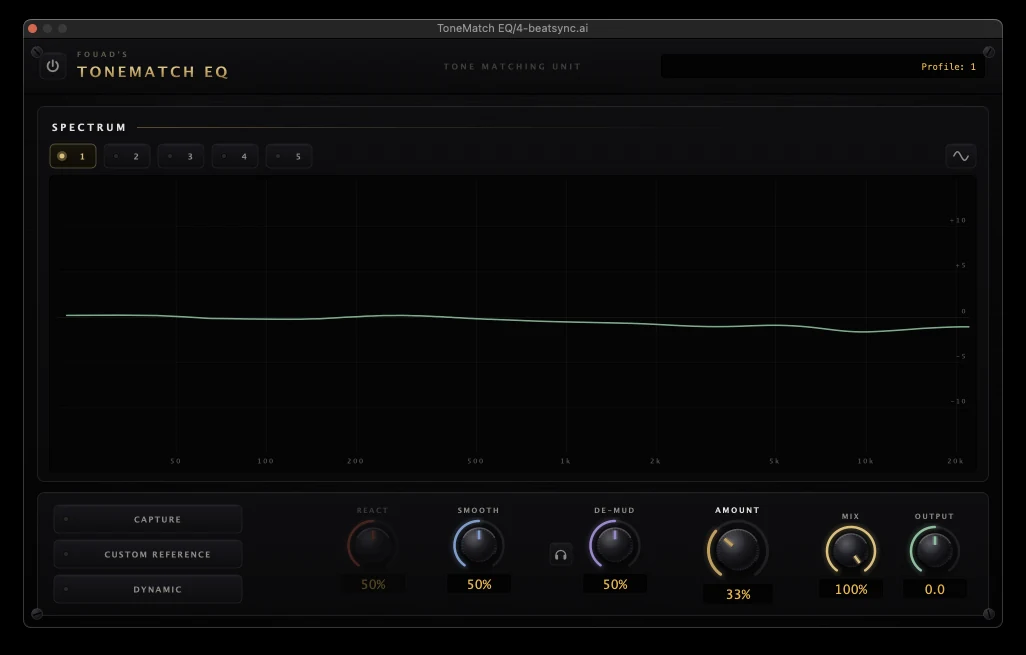
If you want the track pulled toward the tonal shape of commercial releases without guessing, a tone-matching EQ does it in one move. Apply a third of the match, never the whole thing, or you import the reference's problems along with its balance. We use ToneMatch EQ for this, partly because its de-mud control handles the boxy low mids on the same pass.
3. De-ess and tame the sheen
This is the step that makes an AI vocal sound like a recorded one. A multiband compressor set up as a de-esser works best, because one band can react to another: listen to the esses, compress that region firmly, and take a little off the air above it. A dedicated de-esser plugin does the job too. Multiband just gives you more control.
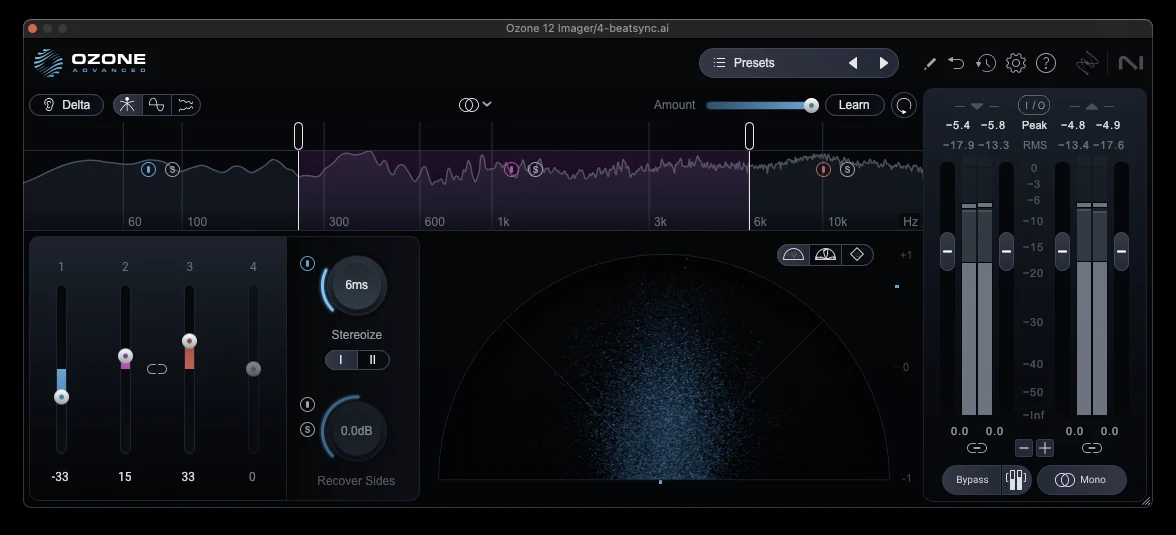
4. Widen the mids, keep the lows mono
Our measurements put the sides 7 to 14 dB under the centre on every Suno WAV. A stereo imager with bands fixes that in a minute: widen the mid bands, leave the top alone, and pull everything under about 120 Hz toward mono so the bass stays solid on phones and club systems.
5. Control the low end
If the bass booms in one section and hides in the next, compress the low end a bit more than you normally would, then bring it back up to compensate. Keep the attack slow when you are compressing the whole mix, so the kick's transient gets through. If the bass is truly broken in one section, mastering will not fix it; export stems and replace the bad section with a good one, or regenerate.
6. Loudness, by ear
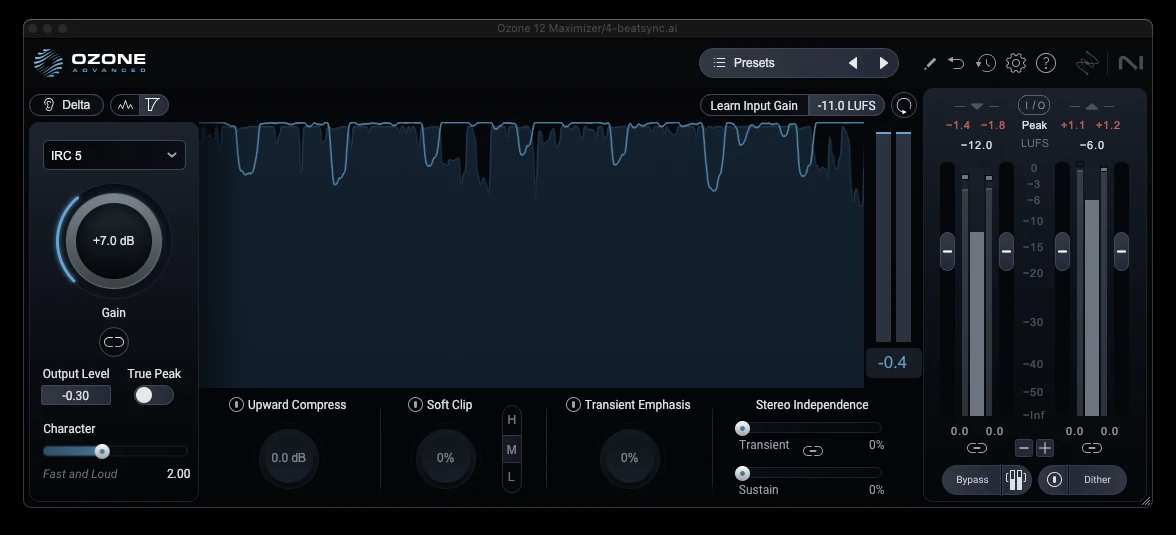
Now the fun part. The order we use: a little high-quality saturation for density, light bus compression for glue, a clipper with oversampling to trim the sharpest peaks, then the limiter. Audition the limiter's algorithms if it has several. Push as hard as you can while listening to the transients, and stop before the snare stops cracking or the track starts pumping. Ceiling at about -0.3 dB. We run true-peak detection off and accept the small overshoots every commercial release has. If you would rather be safe, -1 dBTP costs you almost nothing.
7. Export
24-bit WAV, 48 kHz, no dither needed at 24-bit. Keep Suno's file metadata intact. Listen to the bounce start to finish before it goes anywhere.
The twelve mistakes people make in this process, with fixes, are in our guide to mastering a song at home.
Stems or the stereo file?
Master the stereo file first. Reach for stems only when one element is wrong, and the classic case is a buried vocal that small EQ moves cannot rescue.
Suno's stem tools: Get Stems from the library, or Split Stems on the Studio timeline. Auto Split gives up to 12 stems on Pro and Premier for 50 credits. Split from Mix pulls one instrument or vocal plus everything else for 10 credits a stem. Advanced Split, Premier only, picks from about a hundred instruments. Stems are included in the song's download and do not count against your download limit.
Expect bleed. Ghost vocals in the drum stem, a little hi-hat in the vocal. Stem separation is good now and still not clean. Use stems to fix one problem, not to remix the whole song, unless you want to remix the whole song.
Suno Studio, on Premier, exports a multitrack WAV for your DAW and has effects and automation inside it. For a mastering pass, export and work in your DAW.
"My Suno file is clipping"
Our fifteen WAV downloads had zero clipping and 3 to 4 dB of headroom, so if yours is clipping, it was an MP3 download, an older generation, or it was processed after download. You will hear crackle on the loud hits and a true-peak meter will read over 0. Turning it down does not undo clipping. Limiting it makes it worse. De-clipping tools can soften it. Regenerating the section, with Replace Section on Pro and Premier, or a fresh generation, usually beats all of them.
What mastering cannot fix on an AI track
Be honest with yourself before you spend an evening on a master.
- Garbled, lispy or mispronounced words. Regenerate.
- Reverb baked into the whole mix. You can tame it, not remove it.
- Smeared, soft drum transients from the generation. Saturation and a clipper help a little.
- A bass that is simply wrong in one section. Stems, or regenerate.
- A clipped or squashed file. Regenerate.
- The arrangement. Mastering changes nothing about where the chorus lands.
Use Remaster, Cover or a new generation for these. Use mastering for everything else.
How loud should a Suno song be for Spotify, TikTok and YouTube?
Spotify, YouTube, Tidal and Amazon play back at about -14 LUFS. Apple Music's Sound Check sits nearer -16. TikTok and Instagram do not publish a figure but they normalize, often harder than you expect. SoundCloud does not normalize at time of writing.
Those are playback levels, not targets. A raw Suno file already sits at -14 and sounds small next to a commercial release, which proves the point: it is density that competes, not the number. Master to taste for the genre by ear, benchmark it against real releases, and let the platforms turn it down. We covered the -14 LUFS myth properly in How Loud Should Your Master Be?
Does Udio need the same treatment?
Mostly, yes. Udio and the other generators produce the same family of problems: a normalized loudness that sits under commercial releases, a narrow image, glassy highs on vocals, and the odd section where the bass or a word goes wrong. The exact numbers differ by generator and version, so run the two-minute check on any AI export before you master it. The seven steps above do not change.
Before and after: how to tell if it actually got better
Louder always sounds better, so a master compared at a higher level than the original will always win, even when it is worse. Match the loudness first. Put a gain plugin at the end of the chain, turn the master down until the loudness meter matches the raw file, and then compare. If the master still sounds better, it is better.
If you would rather not build the chain, upload the WAV to BeatSync Mastering and use the before-and-after player on the page, which plays both at matched volume so you can hear what changed and not just how much louder it got. AAC masters are free during launch. The lossless 24-bit/48 kHz WAV is 200 credits, and the measured loudness is shown on every master.
Putting it on Spotify
Master first, then upload the WAV to your distributor. Three things from Suno's terms matter here.
Free accounts are for personal, non-commercial use. Pro and Premier include commercial rights, and the track has to be downloaded within your plan's monthly download allowance to count. Remixes made inside Suno are not cleared for commercial use, so release original generations.
Suno says purely AI-generated music may not qualify for copyright in the US, lyrics you wrote may, and some distributors exclude songs that are not copyright-eligible. Read your distributor's AI policy before you upload, and answer any AI disclosure question honestly. Keep Suno's file metadata as it is.
FAQ
Can Suno mix and master songs?
Not in the sense a producer means. Remaster generates a variation of the song; it does not process the exported file. Mastering happens after download, in a DAW or with a mastering service.
Do I need to master my Suno songs?
If they are going on a streaming platform, yes. Suno exports are normalized to about -14 LUFS with 3 to 4 dB of headroom, clean but small next to commercial releases. Mastering adds the density, width and polish; it is the one step where you control exactly what changes.
Are Suno songs already mastered?
They are loudness-normalized, which is not the same thing. Every file we measured sat at about -14 LUFS with a narrow stereo image and peaks around -4 dBTP. That is a healthy mix, not a finished master.
How do I improve Suno sound quality?
Download the WAV from the desktop, never the MP3. Master it: small corrective EQ, de-ess the sheen, widen the mids, control the low end, then loudness by ear. For problems in the generation itself, use Cover or a new generation rather than mastering.
What does Remaster do in Suno?
It generates a subtle variation of your song at a strength you choose. It can improve a track and it can change it in ways you did not ask for. It does not replace mastering.
What are the steps to mastering a song?
Listen and diagnose, corrective EQ, dynamics only if needed, loudness by ear, true peak and mono check, export 24-bit WAV, listen to the bounce. The full list of mistakes to avoid is in How to Master a Song at Home.
Can I publish Suno songs as my own?
On Pro and Premier, with a permitted download, Suno assigns the output to you for commercial use. Suno also says it cannot guarantee copyright will attach to AI-generated audio. Check your distributor's rules before release.
What is the best AI mastering tool?
The one that lets you hear before and after at matched volume and tells you the loudness it landed on. BeatSync Mastering does both, and the AAC master is free during launch.


